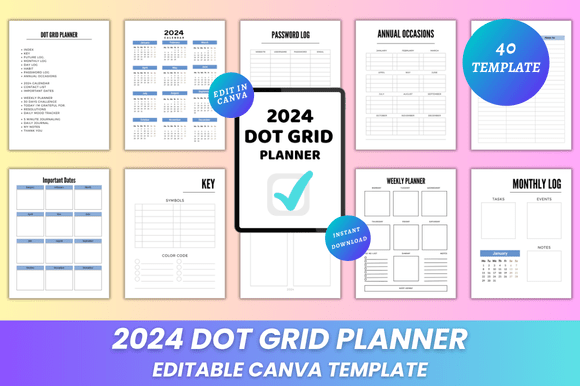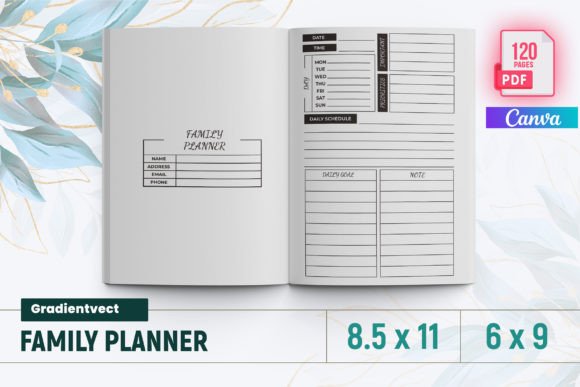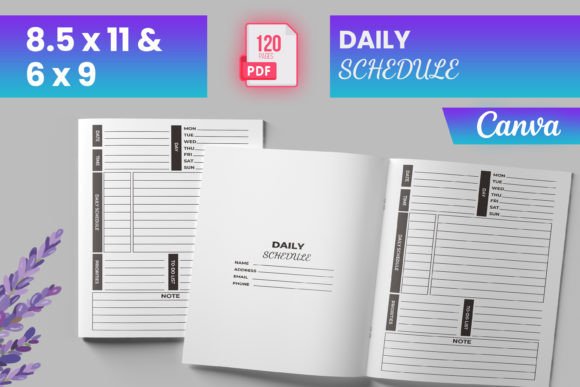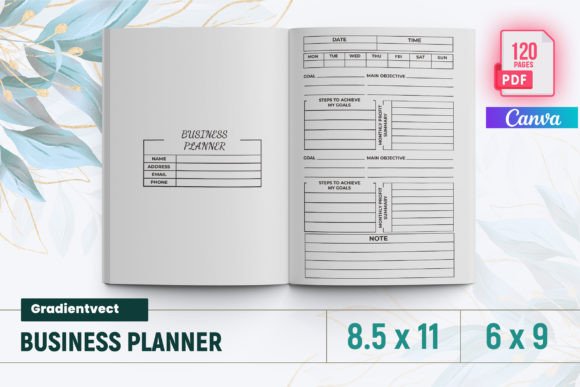
Why the Editable To Do List Bundle Canva KDP Is a Game-Changer for Planners, Entrepreneurs, and Busy Families
Staying organized shouldn’t mean choosing between beautiful design and real-world flexibility. That’s exactly where the Editable To Do List Bundle Canva KDP stands apart — not as another static printable, but as a living, breathing toolkit you shape to match your rhythm, your brand, or even your child’s first-grade homework routine.
More Than Just Pages — It’s Your Workflow, Fully Customizable
Every template in this bundle arrives with an editable Canva link. That means no wrestling with complex software or waiting for a designer. Open it in your browser, click, drag, type, swap colors — and go. Change fonts to match your business branding. Resize checkboxes for better visibility on a tablet. Swap out minimalist icons for playful illustrations if you’re making a list for your kids. Adjust spacing so your weekly planner fits neatly into your bullet journal spread.
This level of control transforms how people interact with productivity tools. A freelance graphic designer might use the Daily To Do List page to track client revisions, then tweak the header font and add their logo using the editable Canva file. A homeschool parent could turn the Grocery List into a themed “Farmers Market Adventure” sheet — changing colors, adding clipart of apples and carrots, and printing it on sticker paper for the fridge.
What’s Inside the Editable To Do List Bundle Canva KDP Interior?
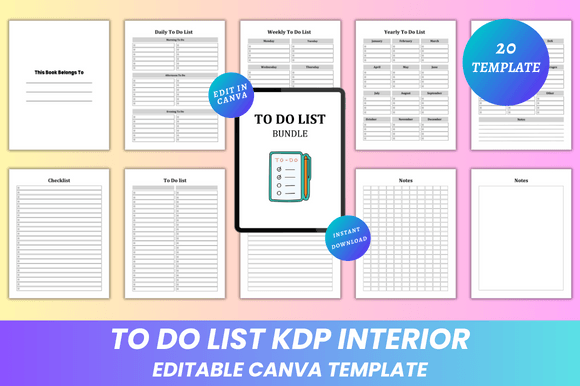
The interior isn’t just functional — it’s thoughtfully layered. You get 20 pages, each serving a distinct purpose while maintaining visual harmony:
- Belongs To page — A clean, personalized cover that sets the tone (and helps avoid lost lists in shared offices or classrooms)
- Daily, Weekly, and Yearly To Do Lists — Not generic calendars, but structured yet spacious layouts that encourage realistic planning without overwhelm
- Grocery List + Checklist — With smart formatting: grouped categories, ample line height, and optional checkboxes sized for easy tapping on tablets
- To Do List (4-page version) — Ideal for deep-focus days or project sprints, offering room for notes, deadlines, and priority flags
- Notes section (8 different page styles) — From lined and dotted to blank and Cornell-style — because one note-taking method doesn’t fit all brains or tasks
Each page is built at 8.5 x 11 inches, standard letter size — meaning zero guesswork when printing at home, at Staples, or through KDP. And because there’s no bleed, your carefully aligned text and borders stay crisp, edge to edge.
Print-Ready Files That Actually Work — No Surprises
You’ll receive more than just the Canva link. Instant download includes:
- High-quality PDF files — Optimized for sharp text, smooth gradients, and consistent color across devices and printers
- JPG and PNG files — Perfect for sharing digital checklists via email, embedding in Notion dashboards, or uploading directly to social media planners
No blurry exports. No missing fonts. No “why does this look different?” moments. The PDFs are pre-flattened and print-ready — whether you're running off 5 copies on your Epson or ordering 100 professionally bound journals through Amazon KDP.
Real-Life Uses Beyond the Obvious
Yes, it works for daily task tracking. But its adaptability shines in less obvious places:
- Therapists and coaches use the Notes pages to build custom session trackers — editing headers to reflect goals like “Anxiety Triggers” or “Strengths Observed,” then saving as branded handouts
- Small bakery owners repurpose the Grocery List into a “Weekly Ingredient Reorder Sheet,” adding vendor names and delivery dates right in Canva before exporting to PDF for their supplier
- Teachers turn the Checklist into a “Classroom Job Rotation Board,” swapping out roles weekly and printing fresh versions for student folders
- Event planners combine the Yearly To Do List with the Notes pages to map out timelines for weddings or corporate retreats — adjusting colors by season (e.g., sage green for spring, navy for fall)
That’s the power of the Editable To Do List Bundle Canva KDP: it doesn’t ask you to adapt to the tool. It adapts to you.
Design That Supports Focus — Not Distraction
Cluttered layouts drain mental energy. This bundle uses a clean and minimal design philosophy intentionally: generous white space, consistent typography hierarchy, subtle lines instead of heavy borders, and intentional alignment. Nothing competes for attention — just your priorities, clearly framed.
Yet “minimal” doesn’t mean “sterile.” You retain full creative license. Want to add soft watercolor textures behind your Weekly To Do List? Done. Prefer bold sans-serif headers with muted pastel accents? One click. The design gives structure; you bring the personality.
Practical Considerations Before You Choose
If you're comparing options, here’s what sets this bundle apart:
- Lifetime access — No subscriptions. No expiring links. Download once, customize forever — even as Canva updates its interface
- No design skills required — Drag-and-drop editing means your cousin who still uses Comic Sans can update fonts and colors confidently
- KDP-friendly from day one — Interior files meet Amazon’s specs for bleed-free, CMYK-safe, 300 DPI-ready PDFs — no reformatting needed before publishing your own planner
- Scalable for teams or classrooms — Edit once, duplicate dozens of times with unique names or dates, export individually — perfect for group coaching programs or school supply kits
And because new designs are added regularly — think seasonal variants, bilingual versions, or specialized templates like “Habit Tracker + Reflection” — returning customers always find something fresh without repurchasing.
Getting Started Takes Less Than Two Minutes
After purchase, you’ll receive an instant download containing two key things: the editable Canva link and your ZIP folder of ready-to-use files. Open the link → sign in to Canva (free account works fine) → start editing immediately. Change a color palette in under 30 seconds. Swap a font in five clicks. Export your first customized PDF in under a minute.
Then decide your next step: print at home on recycled paper, upload the PDF to a local print shop for glossy coil-bound copies, or drop the interior files straight into your KDP dashboard alongside your custom cover. There’s no bottleneck — just clarity, control, and consistency.
Final Thought: Tools Should Serve Your Life — Not the Other Way Around
A great to-do list isn’t about checking boxes. It’s about reducing friction, honoring your time, and building systems that feel good to use — day after day. The Editable To Do List Bundle Canva KDP delivers that rare balance: professional-grade quality, effortless customization, and thoughtful versatility. Whether you’re launching your first digital product, managing a growing family, or simply craving calm amid chaos, this isn’t just another planner. It’s your foundation — editable, reliable, and quietly powerful.