KDP Business Planner Canva: A Practical Interior Template for Self-Publishing Entrepreneurs
For creators launching business-focused journals, planners, or productivity tools on Amazon Kindle Direct Publishing (KDP), interior file preparation is often the most time-consuming and technically sensitive step. The KDP Business Planner Canva addresses this by delivering a pre-formatted, bleed-ready interior designed specifically for KDP’s print requirements — not as a generic design tool, but as a functional, field-tested template package.
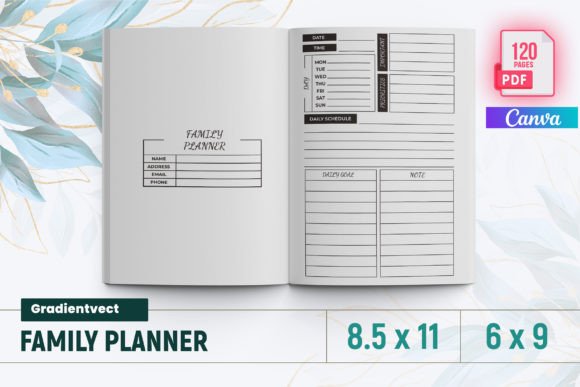
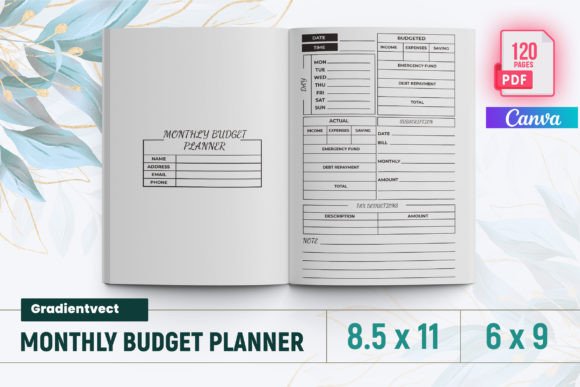
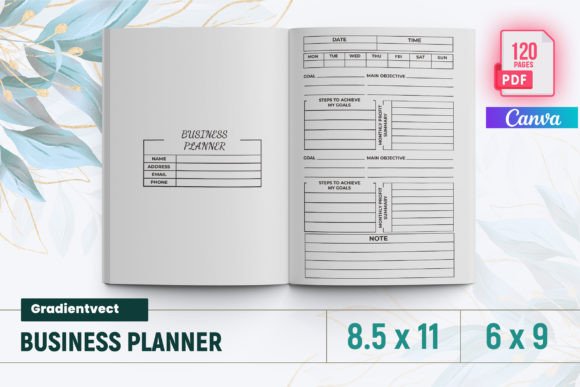
Unlike blank Canva templates or DIY layouts built from scratch, the KDP Business Planner Canva includes 120 fully laid-out pages across standard US letter size (8.5 × 11 inches), with six to nine distinct section types per spread. It’s not just “designed in Canva” — it’s engineered for upload: PDFs are pre-bleed, margins validated, fonts embedded, and color profiles set to CMYK where appropriate. Every file has been tested directly on KDP’s previewer and live print-on-demand workflow, reducing the risk of rejection due to trim errors, low-resolution images, or incorrect page counts.
What You Actually Get — And Why It Matters
The package includes more than visual polish. It bundles three complementary file types:
- A ready-to-upload PDF — optimized for KDP’s automated checks and print engine;
- High-resolution PNG files — useful for marketing assets, social media previews, or selective editing;
- JPG files — lightweight alternatives for quick reference or mockup use.
This multi-format approach supports both production and iteration. For example, if you want to localize a sales tracker for a non-English audience, the PNG layers let you adjust text without reflowing entire spreads. If you’re building a series — say, a quarterly planner bundle — having editable source files means consistent branding and faster updates.
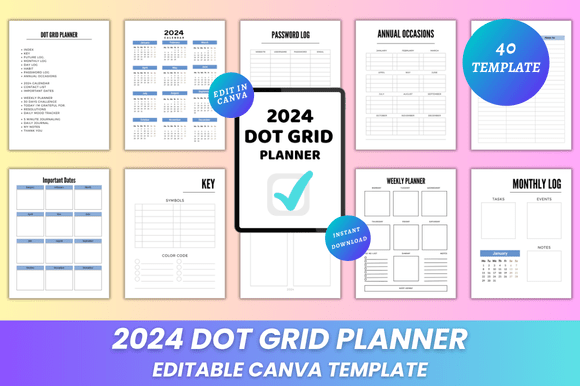
The interior content itself reflects real-world small business workflows: monthly calendars with space for deadlines and follow-ups; inventory logs that track SKU, cost, and reorder thresholds; campaign trackers aligned with platform-specific metrics (e.g., Instagram impressions vs. email open rates); and password and supplier lists built with privacy-conscious spacing — no auto-fill fields, but clear, printable structure. Even the daily and weekly planning spreads avoid overloading; they allocate space for priorities, not just tasks — supporting execution over enumeration.
How It Compares to Other Planning Resources
Many users begin with free digital planners (Notion, Google Sheets) or printable PDFs from independent designers. These offer flexibility but rarely meet KDP’s technical bar out of the box. A Notion-based planner, for instance, requires full redesign in Canva or InDesign to add bleed, adjust margins, and ensure font licensing compliance — work that can take 15–20 hours for a 120-page interior. Similarly, printables sold on Etsy or Gumroad often lack KDP-specific testing: some omit bleed entirely, others use RGB color spaces that shift unpredictably in print, and many don’t validate page count consistency across spreads (e.g., odd/even page alignment, cover-to-interior continuity).
In contrast, the KDP Business Planner Canva bridges that gap. It doesn’t replace strategy or content creation — you still define your business goals, choose your KPIs, and populate your inventory list — but it removes ambiguity about formatting. There’s no guesswork around gutter width, safe zones, or image DPI. That reliability matters most when launching under tight timelines or managing multiple SKUs.
Strengths Beyond Technical Readiness
One understated advantage is structural coherence. Rather than stitching together unrelated templates (a calendar from one designer, a budget sheet from another), the KDP Business Planner Canva uses recurring visual logic: consistent typography hierarchy, uniform icon styles, aligned grid systems, and progressive data entry patterns (e.g., date-first fields, left-aligned labels, right-aligned values). This consistency improves usability — readers navigating between a monthly review and an income tracker encounter familiar spatial cues, reducing cognitive load.
It also accommodates hybrid use cases. A freelance web developer might use the “Goal Action Tracker” for client milestones while repurposing the “Social Media Planner” for content batching. A boutique retailer could adapt the “Product Inventory” section for handmade goods and merge the “Order Form” with their wholesale inquiry process. Because the layout is modular — not rigidly prescriptive — customization stays practical, not disruptive.
Tradeoffs and Realistic Limitations
No template eliminates all variables. The KDP Business Planner Canva assumes a baseline level of familiarity with Canva’s interface — particularly layer management, text box resizing, and export settings. Users new to Canva may need 30–60 minutes to orient themselves before editing, especially when adjusting multi-page elements like calendars or trackers with repeating headers.
It does not include editable source files in Adobe InDesign or Affinity Publisher — so if your workflow depends on those tools, conversion will be necessary. Likewise, while the PDF is KDP-ready, it isn’t pre-formatted for expanded distribution channels (e.g., IngramSpark’s different bleed and spine requirements). If you plan to publish simultaneously across platforms, expect minor adjustments per vendor.
Also note: this is an interior-only resource. It does not include cover design, copyright page templates, or ISBN guidance. Those remain separate decisions — and rightly so. Bundling them would dilute focus on what this product does well: delivering a reliable, production-grade interior foundation.
When It’s the Right Fit — And When It Isn’t
The KDP Business Planner Canva suits creators who value speed, predictability, and cross-functional utility. It’s especially helpful if you:
- Are launching your first KDP planner and want to avoid common formatting rejections;
- Manage multiple small business functions (sales, inventory, marketing) and need integrated tracking — not isolated worksheets;
- Prefer working in Canva over desktop publishing software but still require print-quality output;
- Plan to iterate — updating quarterly, adding niche sections (e.g., podcast episode log), or translating into other languages.
It’s less ideal if you need highly specialized financial modeling (e.g., multi-currency P&L statements), complex automation (e.g., live Excel-linked dashboards), or accessibility features like screen-reader-friendly tags — none of which Canva PDF exports support natively. In those cases, pairing a custom-built spreadsheet backend with a simplified print companion may be more sustainable.
Making an Informed Choice
Evaluating a resource like the KDP Business Planner Canva isn’t about finding the “best” planner — it’s about matching structure to intent. Ask yourself: Do I need production certainty more than total creative control? Am I prioritizing time-to-market over granular customization? Does my audience benefit from unified, printable systems — or do they rely on dynamic, cloud-based tools?
For many solopreneurs, coaches, and micro-business owners, the answer leans toward clarity and consistency. The KDP Business Planner Canva delivers exactly that: a tested, adaptable, and thoughtfully sequenced interior — not as a finished product, but as a capable starting point. It won’t write your business plan for you, but it will hold your plan, track your progress, and ship cleanly to readers — every time.