KDP Family Planner Canva: A Practical Interior Template for Self-Publishing Families
Creating a family planner for Amazon KDP isn’t just about assembling pages—it’s about balancing usability, print compliance, and real-life functionality. The KDP Family Planner Canva stands out not as a generic design but as a tested, production-ready interior template built specifically for creators who need reliability over aesthetics alone. It’s not a flashy tool with endless customization layers; it’s a focused, no-frills resource designed to move from Canva to KDP upload with minimal friction.
What You’re Actually Getting
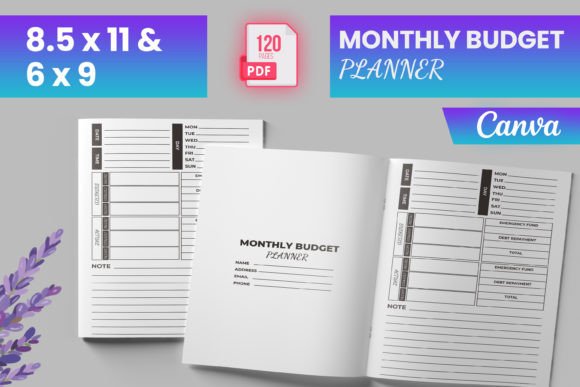
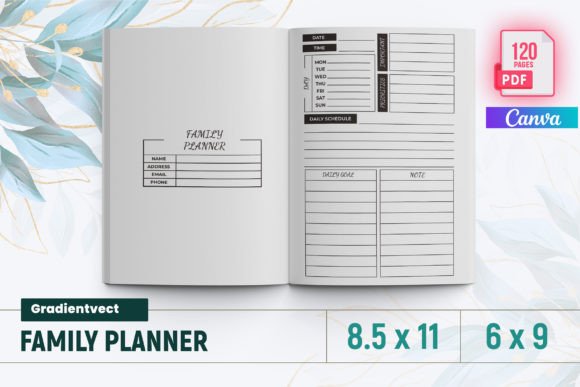
The KDP Family Planner Canva delivers a complete interior package—120 pages, bleed-enabled, sized at 8.5 × 11 inches (with support for 6 × 9), and pre-validated against Amazon’s current KDP requirements. That last point matters: many planners fail during upload due to margin inconsistencies, incorrect bleed settings, or unembedded fonts. This version includes an intro page, monthly spreads for 2024, dedicated sections for bucket lists, to-do lists, important dates, shopping and contact lists—and all formatted to pass KDP’s automated checks.
Files come in three formats: a ready-to-upload PDF (the primary interior file), plus PNG and JPG exports. That gives flexibility—not for editing in KDP itself (which doesn’t support layered images), but for cross-referencing layouts, verifying color fidelity, or adapting elements in external tools like Photoshop or Affinity Publisher if needed later.
Why “Tested on KDP” Isn’t Just Marketing Language
“Tested on Amazon KDP” means the files were uploaded, previewed, and verified across multiple devices and preview modes—not just opened in Acrobat. That includes checking for:
- Proper 0.125-inch bleed on all edges,
- Safe margins (at least 0.25 inches inside the trim area),
- CMYK-safe color handling (no RGB surprises in print),
- Font embedding or rasterization where appropriate,
- Consistent page numbering and section flow.
This level of validation reduces the risk of rejection, rework, or unexpected cropping—common pain points when using untested Canva templates. For someone managing multiple KDP titles or launching a planner series, that consistency saves hours per project.
Design Philosophy: Functional Clarity Over Visual Novelty
The layout avoids decorative flourishes that compromise readability or waste ink. Typography is legible at standard print sizes, spacing allows room for handwritten notes without crowding, and section transitions are intuitive—not clever. For example, the 2024 monthly family planner spreads include space for recurring events, shared responsibilities, and weekend highlights—not just date grids. The shopping list uses checkboxes with generous line height; the contact list reserves full rows for names, numbers, and relationship labels—not condensed fields.
That practicality extends to structure. The bucket list isn’t a single page—it’s spread across multiple entries with room for deadlines, status tracking, and notes. The “important dates” section separates personal milestones (birthdays, anniversaries) from institutional ones (school breaks, tax deadlines), making it usable for both dual-income households and homeschooling families.
Who Benefits Most—and When It Falls Short
This KDP Family Planner Canva suits creators who prioritize speed, compliance, and clarity over granular design control. Freelance designers building client-facing planners appreciate having a baseline interior they can brand and extend—not rebuild from scratch. Educators bundling classroom resources with home-use tools find the family-focused sections especially relevant. Small business owners running family-run operations use it to align scheduling across roles without switching between apps.
It’s less ideal for users needing heavy localization (e.g., non-Gregorian calendars, right-to-left languages) or those committed to fully bespoke interiors with custom illustrations, interactive elements, or multi-color spot printing. The template assumes standard CMYK offset printing and doesn’t include editable vector assets—so swapping icons or redesigning headers requires working within Canva’s constraints or exporting and rebuilding elsewhere.
Workflow Integration: From Canva to Live Listing
Because the template is built in Canva, editing remains accessible—even for non-designers. You can adjust colors, swap fonts (within Canva’s licensed library), add logos, or insert custom banners without touching code or desktop software. But the real efficiency gain comes after export: the included PDF is truly “upload-ready.” No need to reflow pages in InDesign or troubleshoot bleed warnings in KDP’s previewer.
In practice, this means a creator can finalize branding in Canva one afternoon, export the PDF, upload to KDP the next morning, and have a live listing by lunch—assuming cover design and metadata are already prepared. That turnaround supports iterative publishing: testing price points, gathering early reviews, or launching seasonal updates (e.g., shifting from 2024 to 2025 interiors) without restarting the interior workflow.
Long-Term Value and Scalability
While the current version centers on 2024, the underlying structure is reusable. The monthly spreads follow a consistent grid; section headers use uniform styling; page counts per module are modular. With minor duplication and date updates, the same interior framework can serve 2025, 2026, or even niche variants—like a “Family Meal Planner” or “Homeschool Yearly Tracker”—by repurposing the contact list as a teacher log or the shopping list as a supply inventory.
That modularity also supports bundling. Pair this interior with a matching cover template (designed to the same trim and bleed specs), and you’ve got a cohesive product line. Add a simple Canva-based workbook companion—say, a “Family Goal Setting Guide”—and you’re building a small ecosystem rather than a one-off title.
A Realistic Note on Limitations
No template eliminates all variables. Paper choice still affects ink bleed and contrast—especially with light gray lines or subtle watermarks. Handwritten use depends on individual pen type and pressure; while the PDF uses standard 100% black for text, lighter grays may fade on some printers. Also, because Canva exports flattened raster layers for complex pages (like illustrated section dividers), extreme zooming in the PDF won’t reveal vector crispness—but that’s irrelevant for physical print output.
And while the template includes PNG and JPG exports, those are for reference—not for direct KDP upload. KDP only accepts PDFs for interiors, and image-only uploads trigger automatic rejection. Keeping that distinction clear prevents avoidable delays.
Final Assessment: A Tool That Respects Your Time
The KDP Family Planner Canva succeeds not by being the most visually ambitious planner template available, but by removing friction where it matters most: KDP compliance, functional layout, and repeatable structure. It’s built for people who treat self-publishing as part of their operational workflow—not a creative detour. If your goal is to launch a clean, reliable, family-oriented planner without debugging bleed zones or second-guessing margin safety, this interior delivers exactly that. It won’t replace deep design work for premium editions, but it reliably covers the foundational needs—consistently, quietly, and without surprises.